How truck repair shops and towing companies can find more service jobs through Trucker Guide
For heavy-duty repair shops, mobile mechanics, towing companies, and roadside assistance providers, finding customers often depends on location and timing. A driver with a broken-down truck needs a provider who can reach the vehicle, handle the problem, and arrive within a reasonable time.
A repair shop or towing company needs a way to connect with drivers who require those services.
Partner article by Trucker Guide
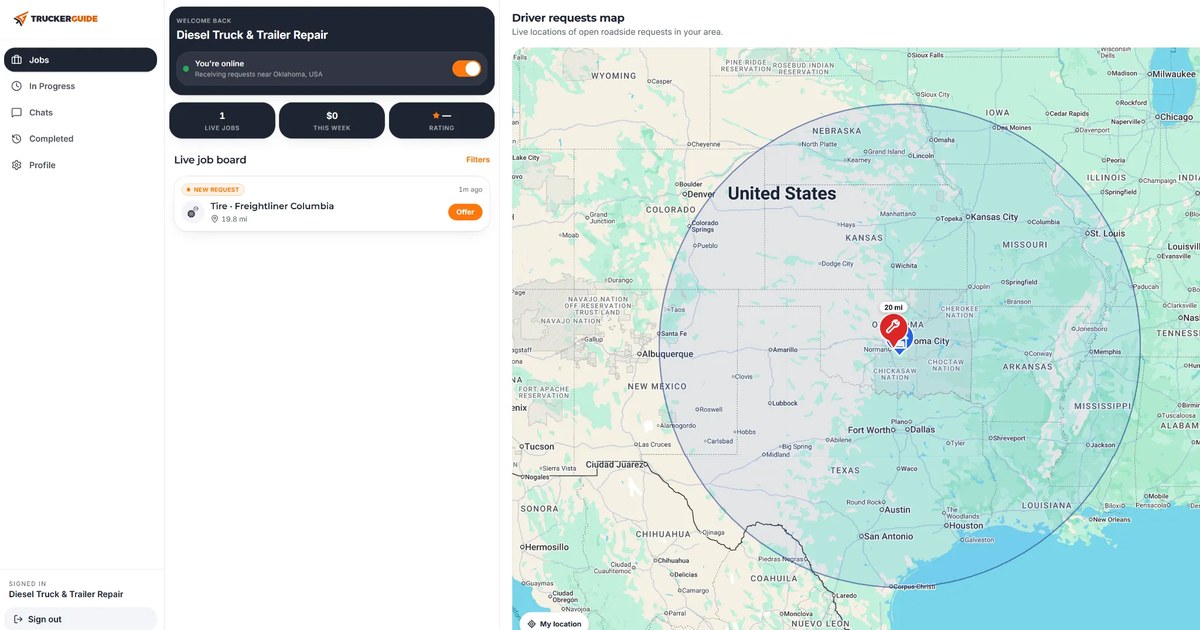
Trucker Guide offers two ways for service businesses to connect with commercial drivers: Roadside Assistance, where registered vendors can review job requests and submit offers, and business listings, where companies can present their services and contact information to drivers.
Receive Roadside Assistance requests from drivers
When a truck breaks down, the driver needs to find a service provider who can handle the problem at the vehicle’s location. For mobile mechanics, towing companies, and roadside repair businesses, these requests can lead to new jobs.
Trucker Guide Roadside Assistance connects drivers experiencing breakdowns with businesses offering roadside support. To participate, vendors create a business profile, specify their service location and coverage radius, and select the vehicle types and services they support.
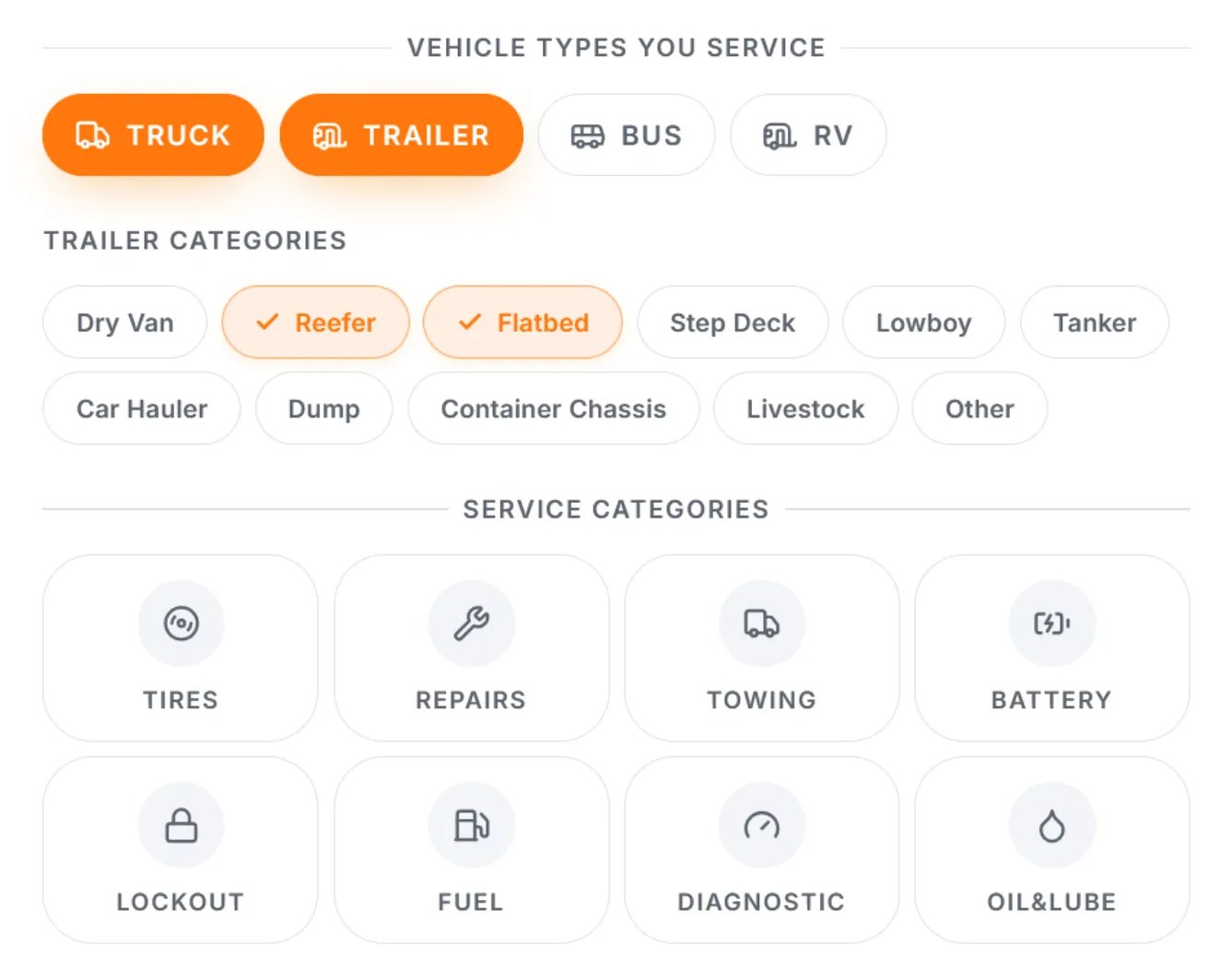
Available service categories include:
- Mobile truck, trailer, bus, and RV repairs
- Tire services
- Towing
- Battery assistance
- Fuel delivery
- Other roadside services
Registered vendors can enable incoming request notifications and monitor available jobs through the Live Job Board.
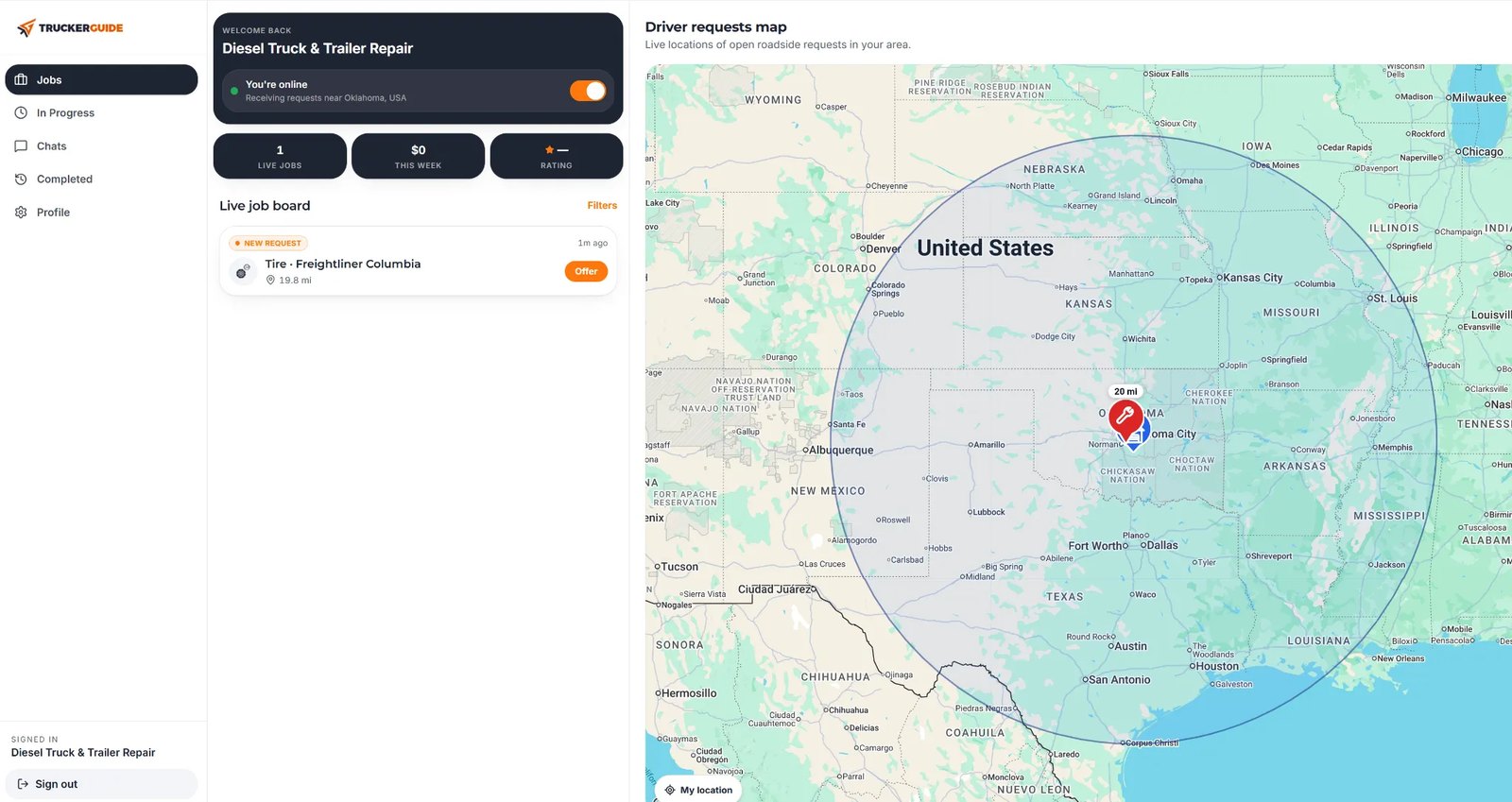
This allows businesses to review requests that match their services and operating areas rather than responding to inquiries outside their coverage or capabilities.
Review job details and submit offers
When a request matches a vendor’s services and coverage area, the vendor can review the information submitted by the driver. Depending on the request, this may include the vehicle’s location, truck or trailer details, a description of the problem, and photos.
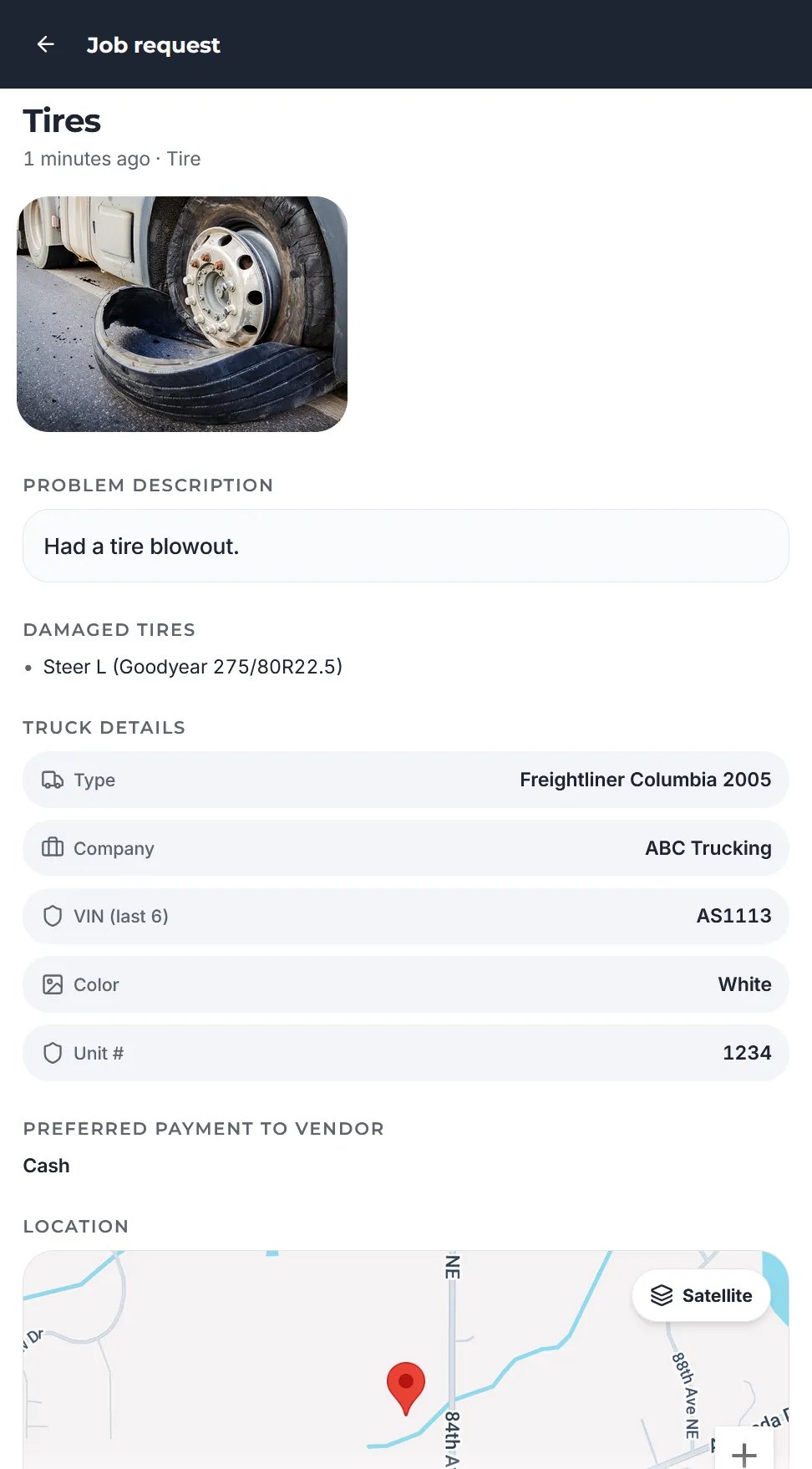
If the vendor decides to take the job, they can prepare a service offer with a breakdown of the costs:
- Call-out fee
- Mileage fee
- Labor charges
If other charges apply, the vendor can add separate items with descriptions and prices.
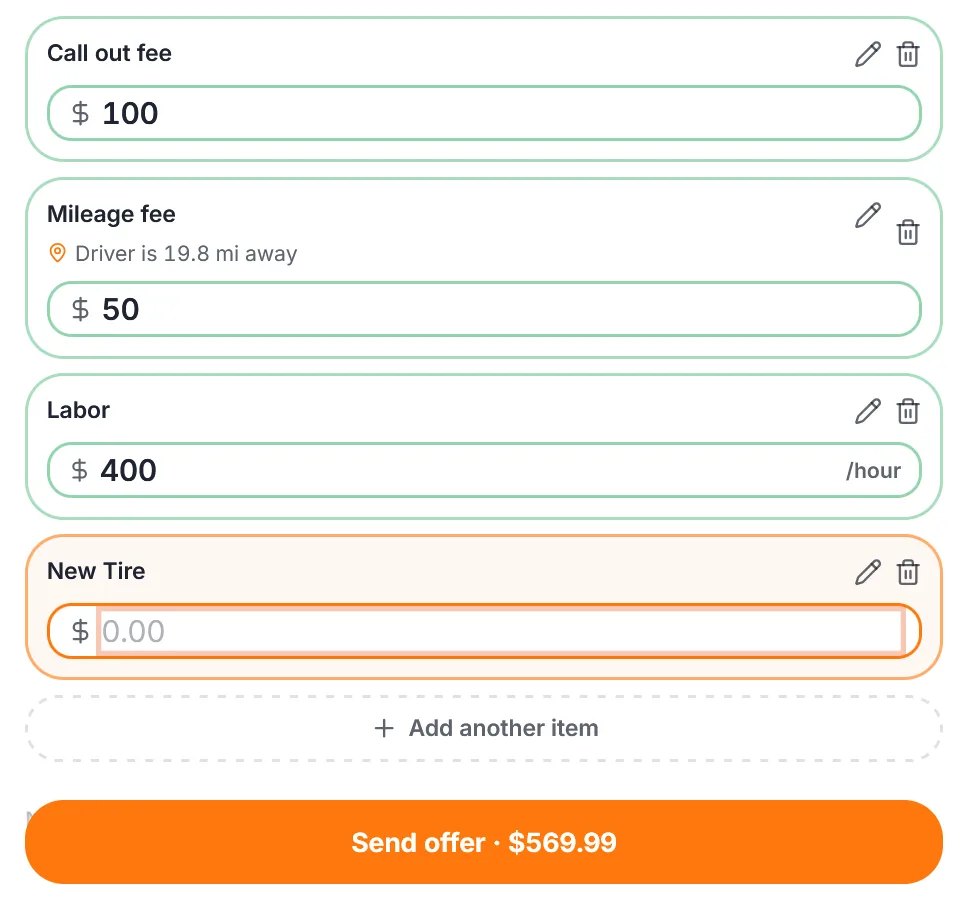
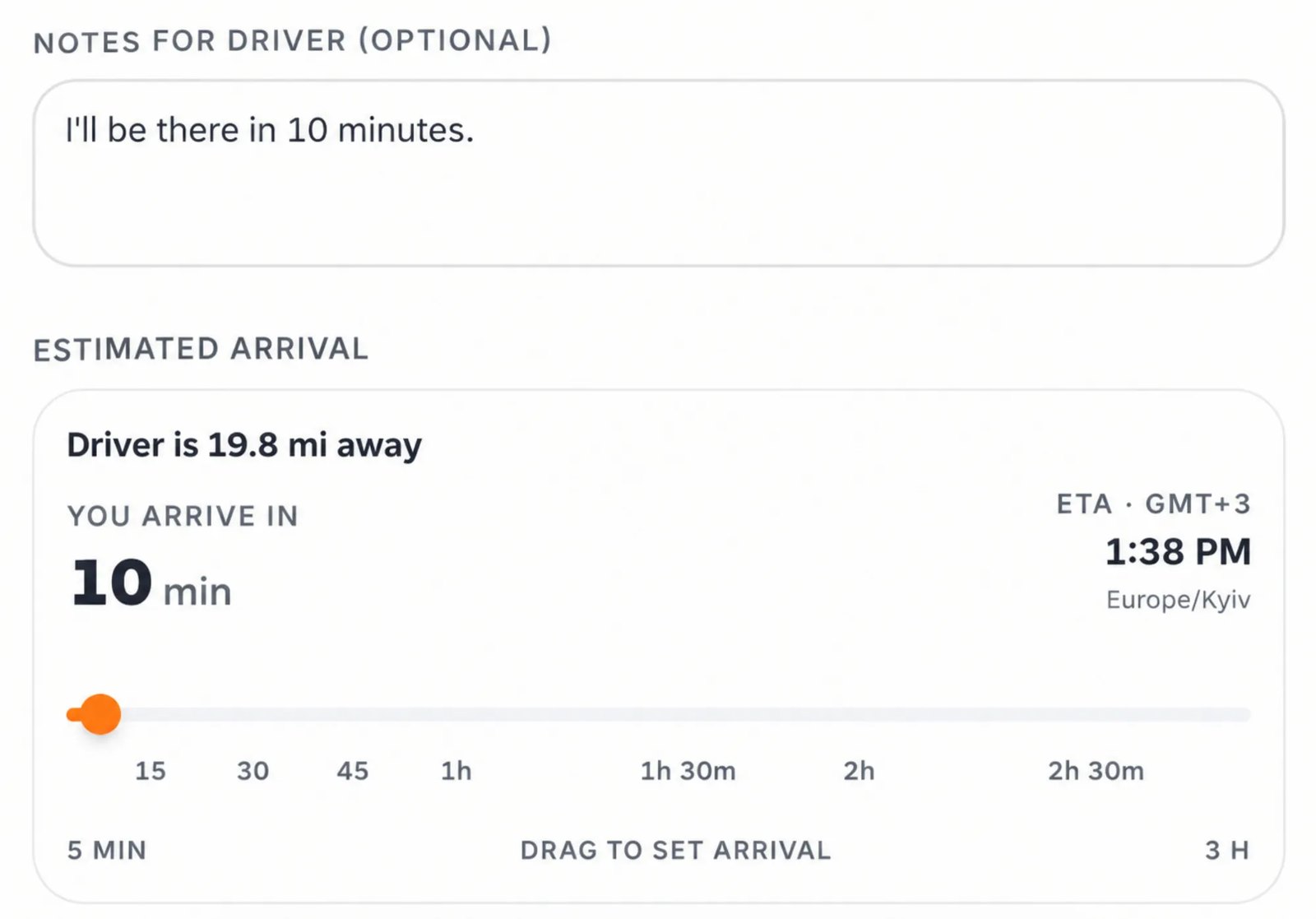
There is also a notes field for details the driver may need before accepting the offer. For example, a vendor can ask for the tire size, confirm accepted payment methods, or provide other service-related information.
The vendor then selects an estimated arrival time using the time selector. Before submitting the offer, they can review the pricing and service details to check that everything is correct.
Once submitted, the offer is sent to the driver, who can review it and decide whether to proceed.
Get listed where commercial drivers search for services
Not every driver looking for a repair shop or service provider is dealing with an emergency. Some need a place for scheduled maintenance, tire replacement, or other truck-related services.
Trucker Guide business listings allow companies to present their services to commercial drivers using a platform designed for the trucking industry.
A business profile can include:
- Business address
- Contact information
- Services
- Working hours
- Available facilities and accepted payment methods
These details help drivers determine whether a business offers the service they need and whether its location or operating area is suitable. Companies can also use promotions to feature particular services, seasonal inspections, special offers, or other business updates.
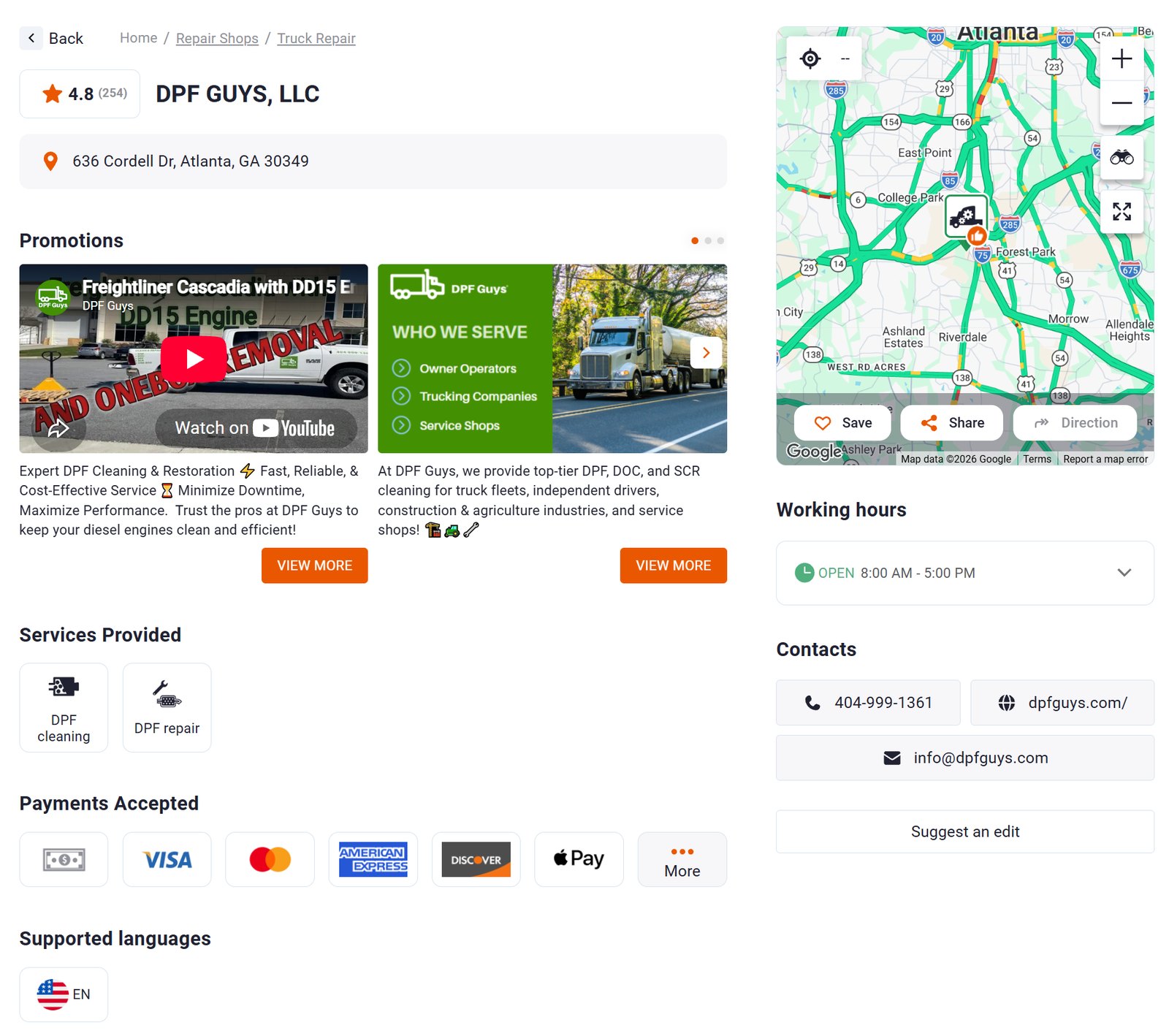
For example, a mobile tire service could highlight emergency tire replacement, while a repair shop could promote its ability to handle specific truck and trailer repairs.
Provide the information drivers need to choose a provider
A business listing should give drivers a clear idea of what a company offers, which vehicles it works with, and where its services are available. Keep the information specific and up to date so drivers can quickly determine whether your business meets their needs.
List your services clearly
Select the services your company provides, such as engine diagnostics, brake repairs, trailer maintenance, mobile tire replacement, or heavy-duty towing. Specific service descriptions help drivers identify businesses that handle the work they need.
Keep contact information and business hours current
Check that your phone number, website, business location, and working hours are accurate. Drivers may need to contact you before visiting or arranging a service, so outdated details can make that difficult.
Include useful business details
Add relevant information about available facilities, accepted payment methods, and other service conditions. These details help drivers compare providers and understand what to expect before contacting your business.
Which businesses can use Trucker Guide?
The platform supports several types of trucking service businesses. The available opportunities depend on the services each company provides.
| Business type | How it can use Trucker Guide |
|---|---|
| Heavy-duty repair shops | List repair capabilities and review relevant roadside repair requests if they provide mobile services |
| Mobile mechanics | Specify coverage areas and respond to on-site repair requests |
| Towing companies | Present towing services and submit offers for vehicle recovery requests |
| Tire service providers | Highlight commercial tire services and respond to matching roadside requests |
| Battery assistance providers | List battery services and review relevant assistance requests |
| Fuel delivery businesses | Present fuel delivery capabilities and respond to requests within their coverage areas |
A company can use its business listing to describe its services and register as a roadside assistance vendor if it offers eligible services.
Connect your trucking service business with commercial drivers
Trucker Guide gives repair shops, mobile mechanics, towing companies, and other roadside service providers two ways to connect with commercial drivers.
Business listings let companies present their services, locations, and contact information. Roadside Assistance allows registered vendors to review requests from drivers, submit offers, and compete for jobs that match their services and coverage areas.
For businesses that work with commercial vehicles, both features provide practical ways to make their services available to drivers looking for assistance.
If your company provides truck repair, mobile maintenance, towing, tire services, or roadside assistance, explore Trucker Guide for Business to learn how to list your services and register as a roadside assistance vendor.
Frequently asked questions
How can truck repair shops find more service jobs?
Truck repair shops offering mobile or roadside services can register as vendors on Trucker Guide Roadside Assistance. They can specify their service areas and capabilities, review matching requests through the Live Job Board, and submit offers to drivers.
How can towing companies find roadside assistance jobs?
Towing companies can register as vendors, specify their coverage areas and supported services, and monitor incoming requests. They can review job details and submit offers that include pricing and estimated arrival times.
What information should a trucking service business include in its Trucker Guide listing?
A business profile can include its location, phone number, email address, website, operating hours, available services, supported vehicle types, facilities, and accepted payment methods. Mobile service providers should also clearly communicate their coverage areas.
How does Trucker Guide Roadside Assistance work for vendors?
Vendors create a business profile, specify their service location and coverage radius, and select the services and vehicle types they support. They can enable incoming request notifications and monitor available jobs through the Live Job Board. Vendors review job details and submit offers with pricing, additional charges, notes, and estimated arrival times.
Which businesses can register for Trucker Guide Roadside Assistance?
Businesses offering roadside services to commercial drivers can register, including mobile mechanics, truck and trailer repair providers, tire services, towing companies, battery assistance providers, and fuel delivery businesses. Vendors specify their available services and supported vehicle types in their profiles.
Selling to trucking companies or drivers?
Pixelco runs Meta Ads, Google Ads and social media for trucking vendors. Tell us what you sell and we will show you how to reach your goal.
Book a call